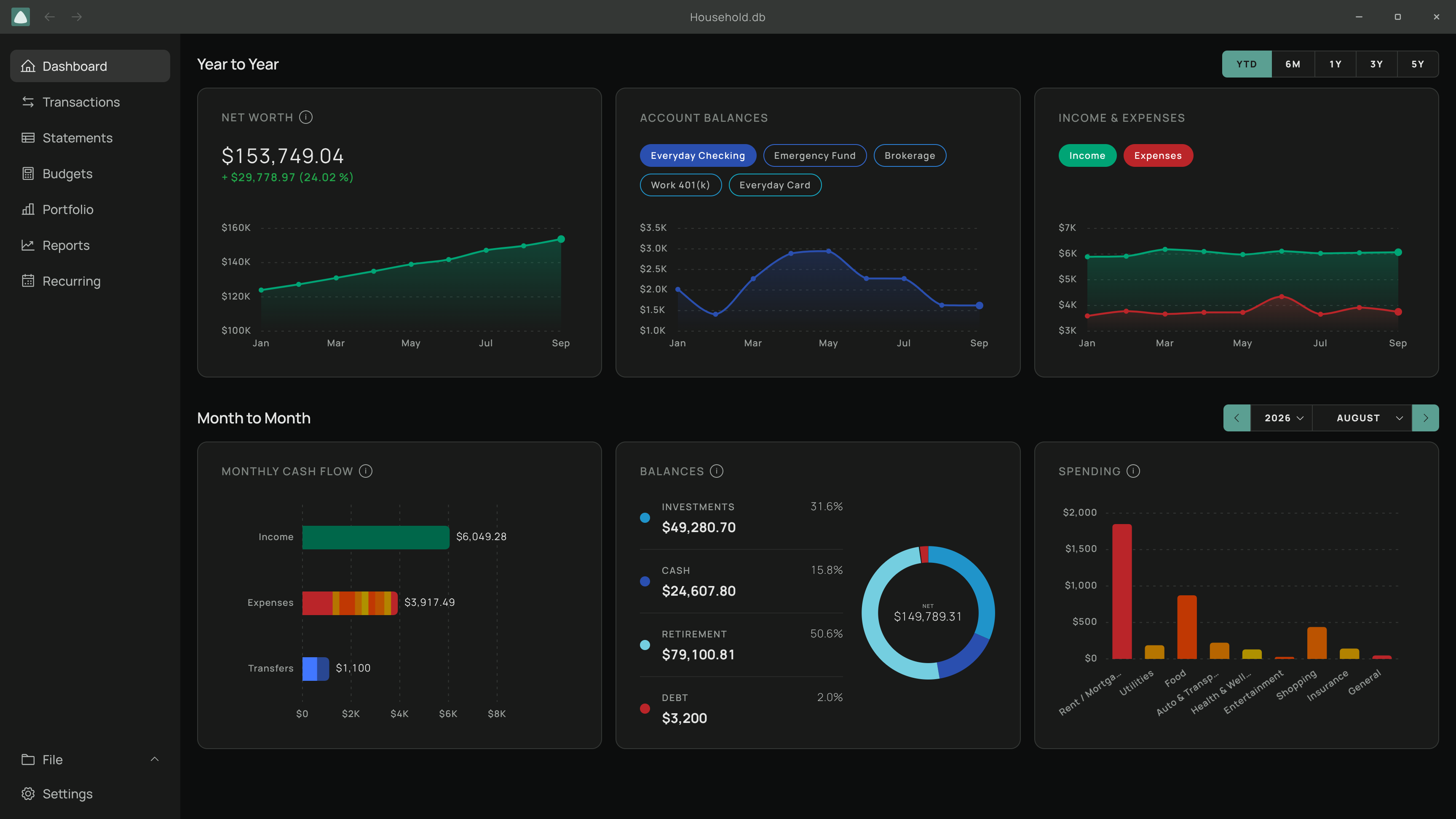
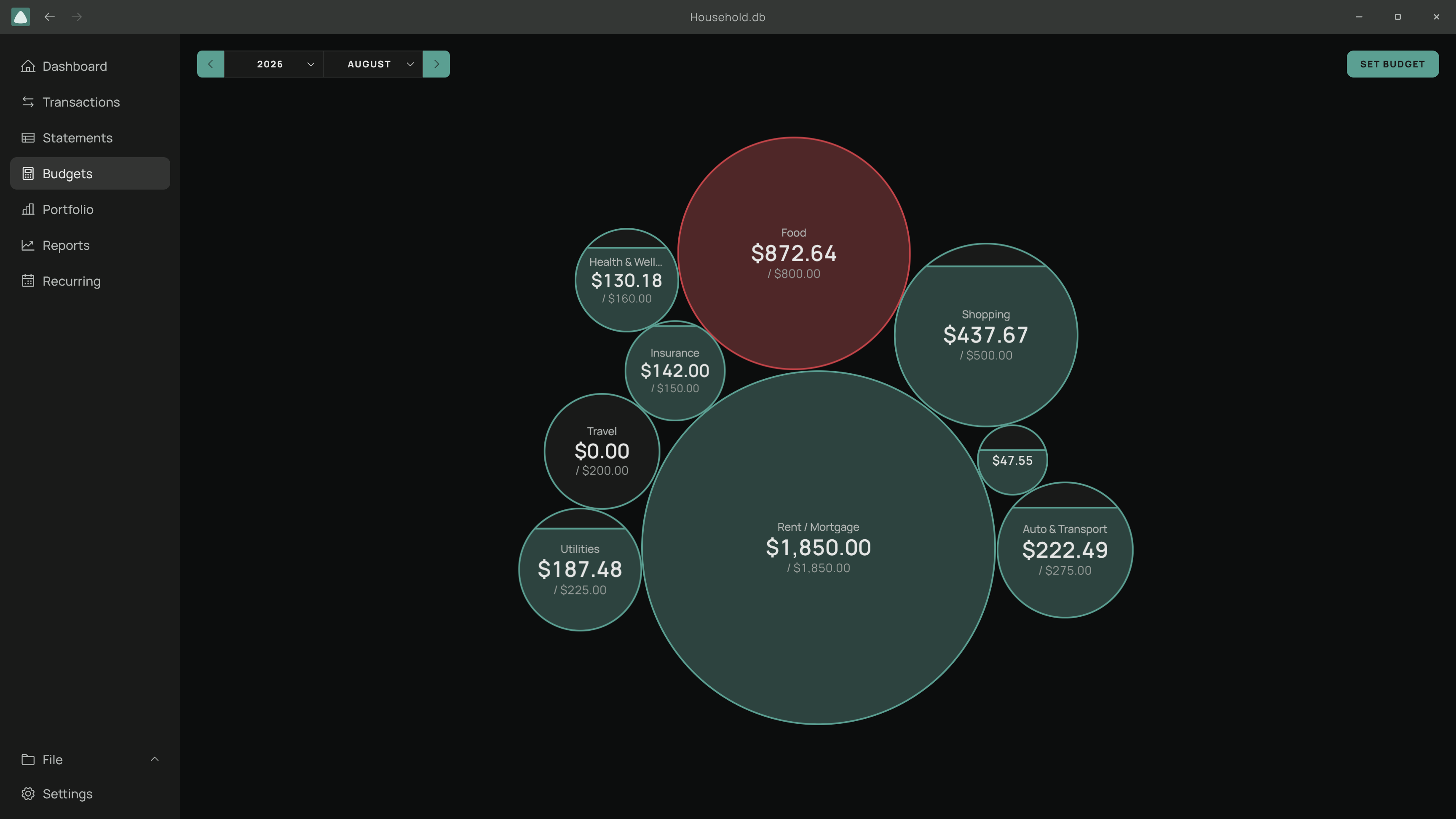
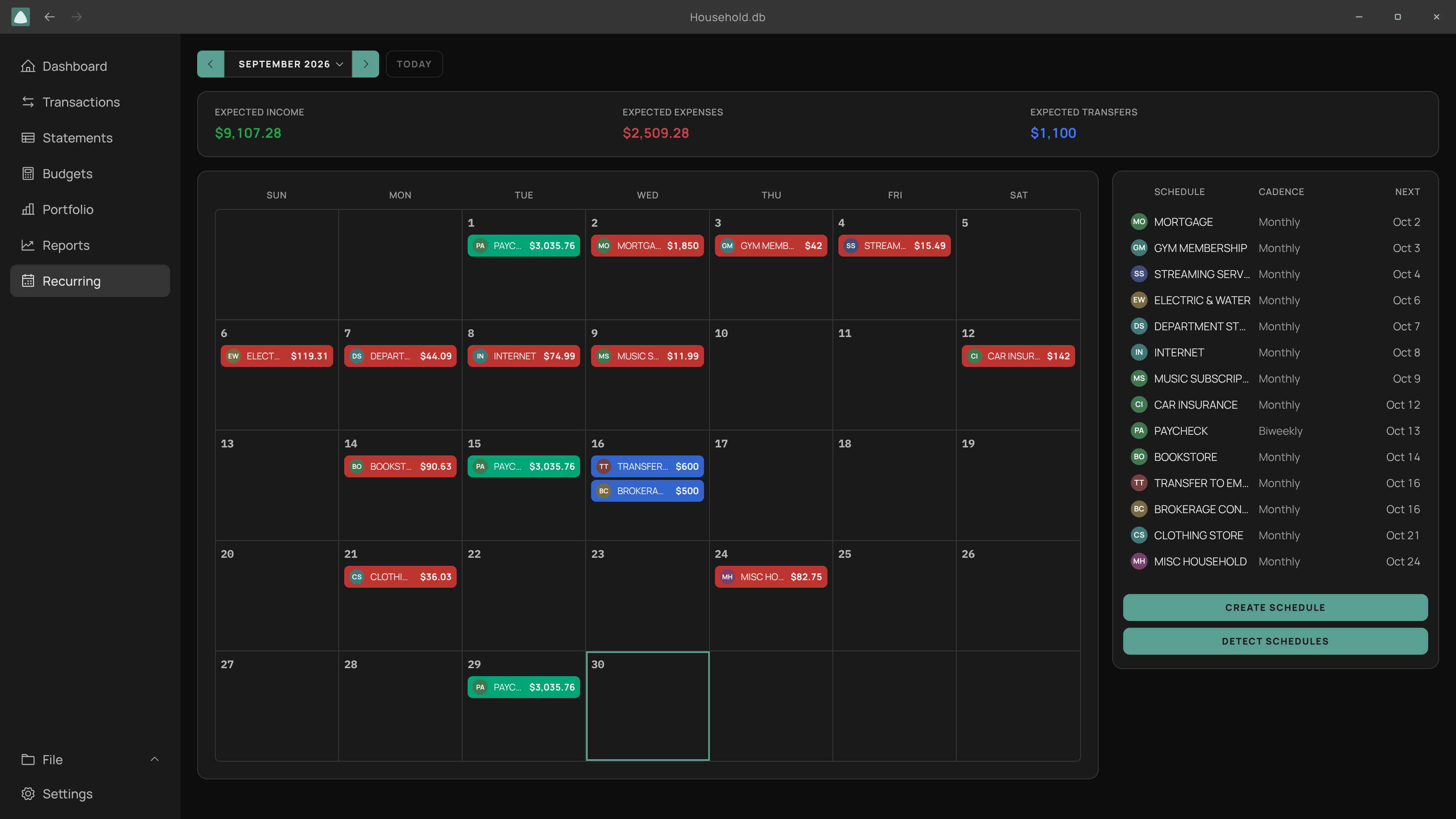
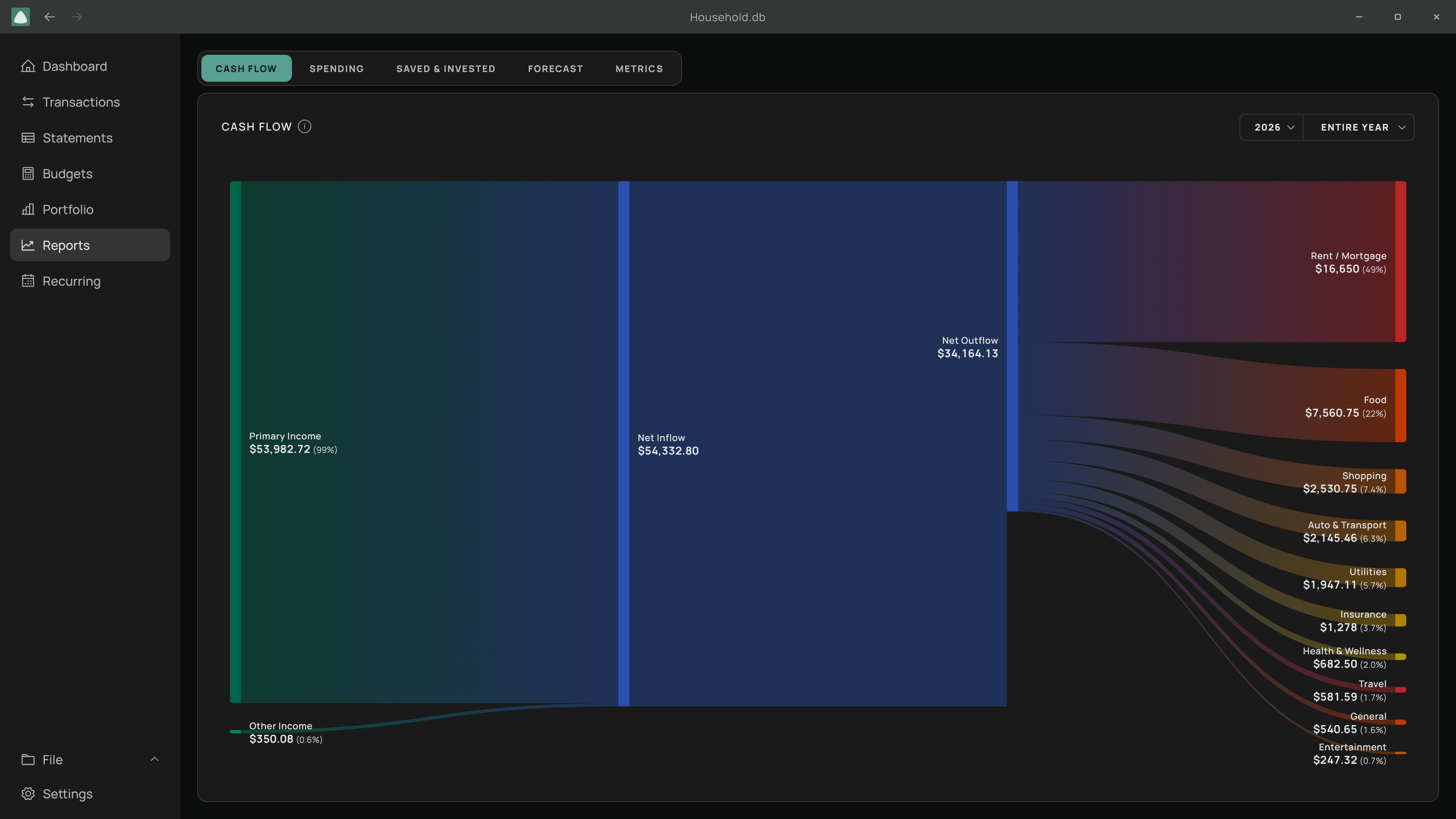
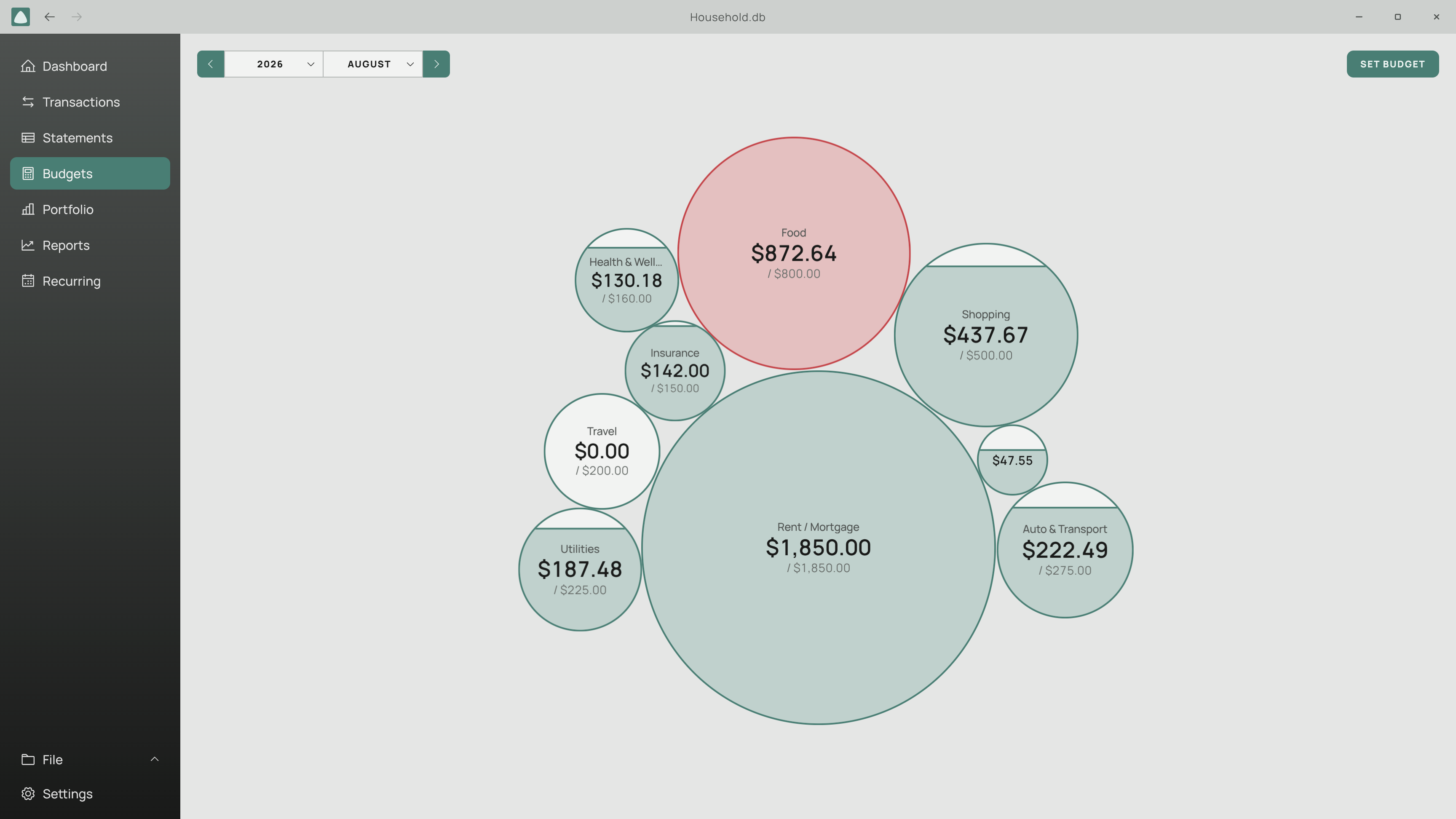
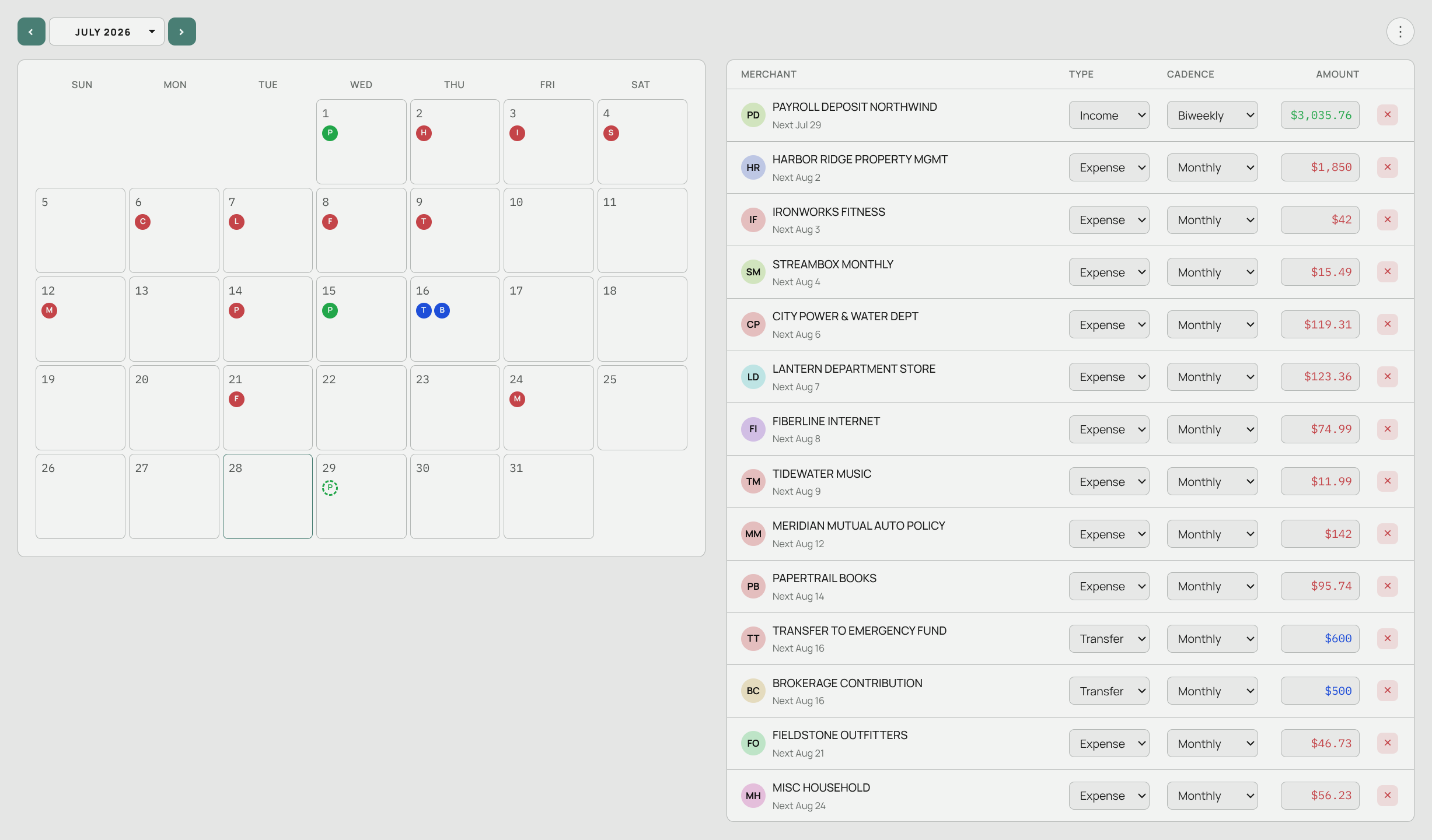
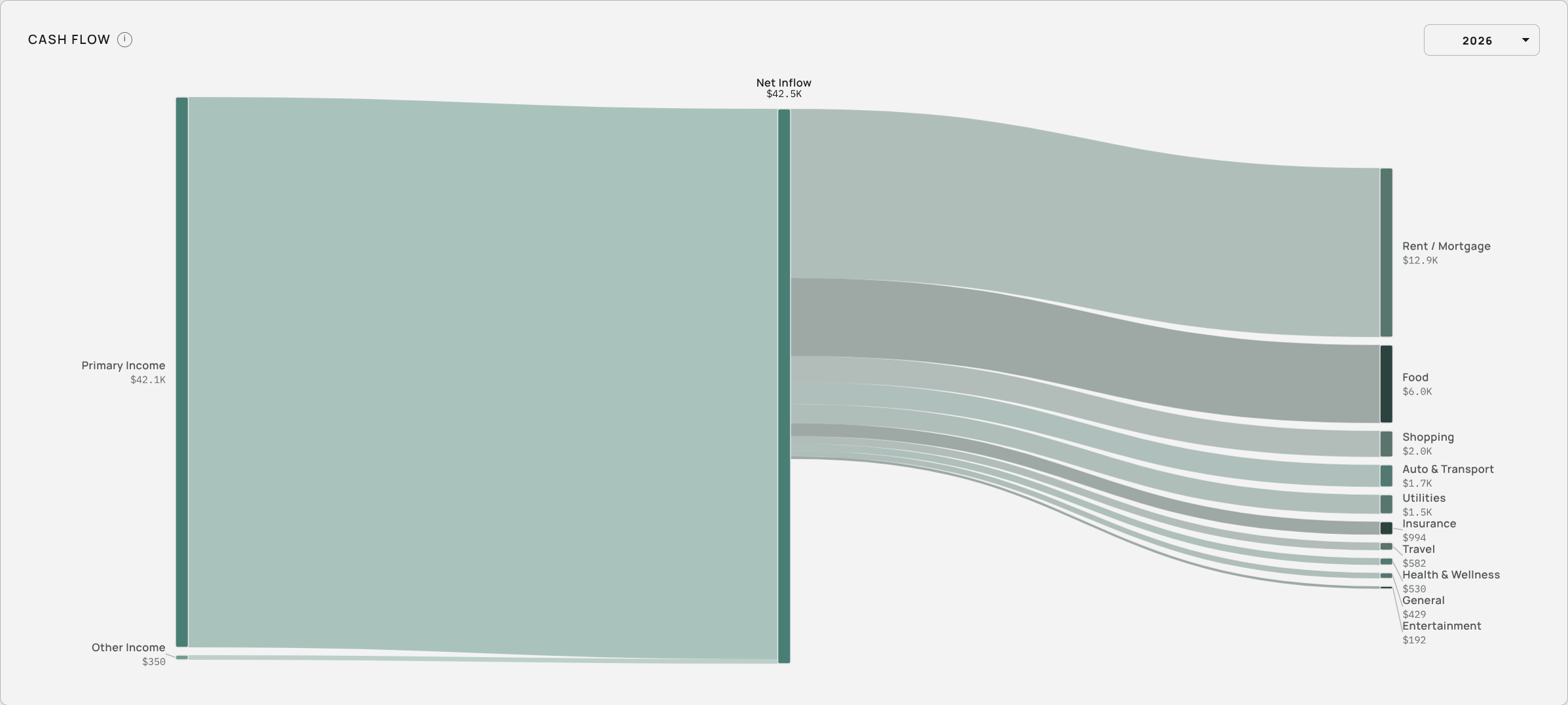
Beautiful Dashboards Keep You On Track At A Glance.
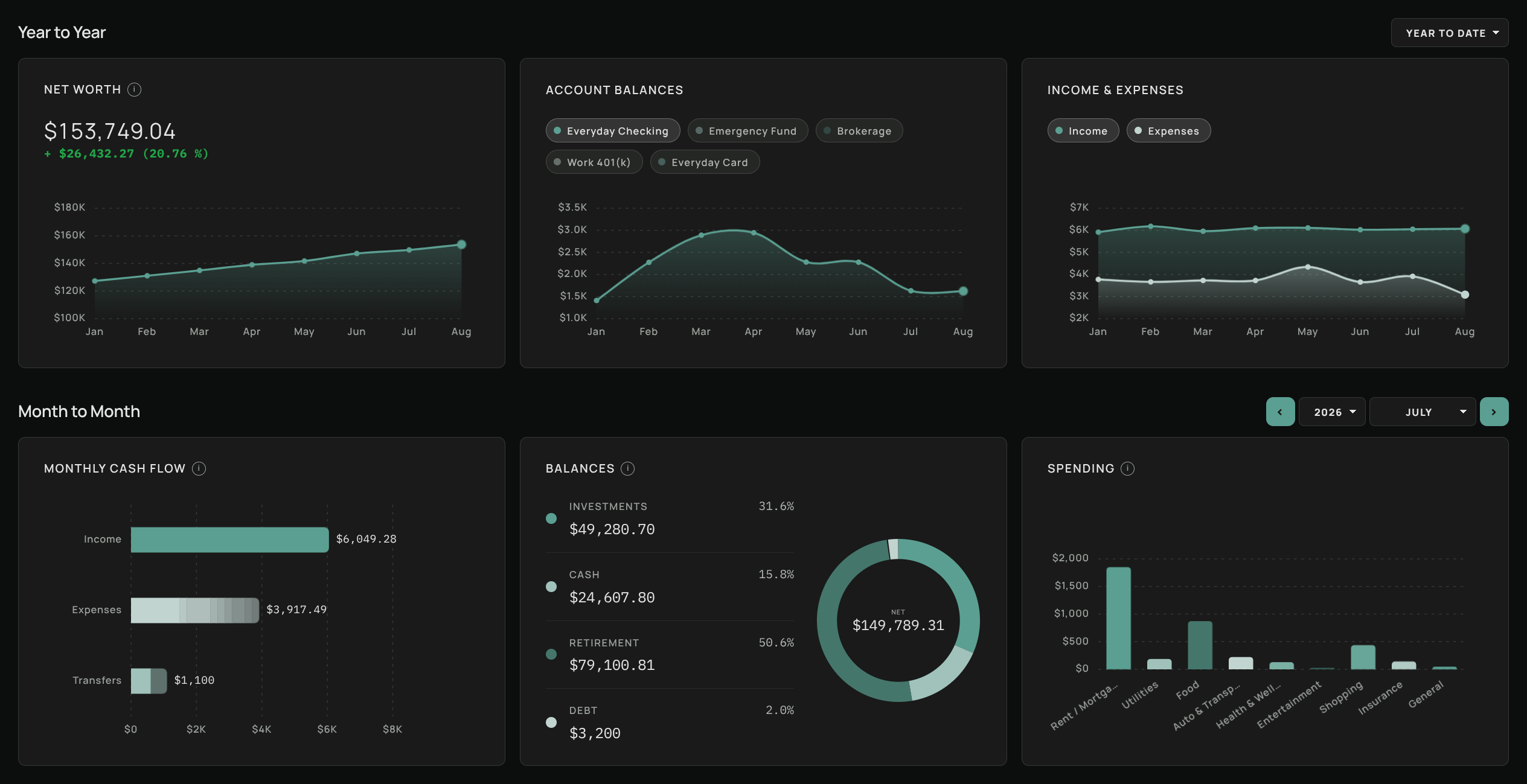
An open-source solution to track your spending and achieve your goals.
Your transaction history says more about you than you think. Your rent, your doctor, your hobbies and habits, your personal associations, your political affiliations, and more. Governments and malicious actors use this data to build a profile on your identity and use it against you.
Third-Party integrations harvest your data and sell it to governments and ad-companies and eventually get in the hands of Cyber-Criminals
Even if your data does manage to stay in one spot, your credentials and account can still be hacked, exposing it anyway to bad actors.
Services shut down, prices rise and accounts get locked. Data stored on someone elses machine is one bad decision away from being lost.
2022
$58 millionpaid to settle a class action lawsuit
Plaid connects many popular finance apps to people's bank accounts. In 2022 it agreed to pay $58 million to settle a class action alleging it collected more banking data than people knew, through login screens styled like their own bank's.
Source: Courthouse News, July 2022
2024
Mint Shuts Down
Mint had more than 20 million users at its peak. Intuit closed it on March 23, 2024 and steered people to Credit Karma. Years of budgets, categories and habits had to be abandoned.
Source: Intuit Mint, Wikipedia · CNBC
2023
60%of the apps studied shared user data
Incogni examined 20 popular budgeting apps on Google Play. Twelve of them shared data with third parties, and one in four shared financial information such as credit scores and payment history.
Source: Incogni Research Lab, July 2023
Leaving YNAB, Monarch, Quicken or a spreadsheet? You don't have to start from zero. Export once, import once, and years of history come with you. No account linking, no integrations, no credentials to hand over.
Supported File Types: CSV, TSV, XLSX, XLS, OFX, QFX, QIF, JSON
Sign in to your bank's website and open an account's activity or statements page.
Find "Download" or "Export". Pick CSV, OFX, QFX or QIF, and choose the dates you want.
In Aventurine, open Transactions and choose Import. It recognizes the format, matches up the columns and flags duplicates before anything is saved.
Date,Description,Amount,Balance
09/24/2026,NORTHGATE FARMERS MKT,-109.49,1203.41
09/23/2026,WESTVIEW FUEL #118,-51.33,1312.90
09/21/2026,CEDAR AUTO REPAIR,-281.36,1364.23
09/15/2026,PAYROLL DEP NORTHWIND,3035.76,1645.59
…
Open YNAB on the web and click your plan's name at the top left.
Choose "Export plan data" and confirm. YNAB downloads a .zip holding two CSV files.
Import the file whose name ends in "Register" and confirm the columns. That is your full transaction history, and it is sorted into categories on your computer.
"Account","Flag","Date","Payee","Category",…,"Outflow","Inflow"
"Checking","","09/24/2026","Northgate Farmers","Everyday: Food",…,"$109.49","$0.00"
"Checking","","09/15/2026","Northwind","Inflow: Ready to Assign",…,"$0.00","$3,035.76"
…
Open Monarch on the web, go to Accounts and pick an account.
Click Edit, then "Download transactions". You get that account's history as a CSV.
Import each file into its matching account and confirm the columns. Repeat for your other accounts.
Date,Merchant,Category,Account,Original Statement,Notes,Amount
2026-09-24,Northgate Farmers,Food,Checking,NORTHGATE MKT #118,,-109.49
2026-09-15,Northwind,Paychecks,Checking,PAYROLL DEP NORTHWIND,,3035.76
…
If Mint sent you somewhere else, like Monarch or YNAB, export from there. Their tabs above walk you through it.
Otherwise go straight to your bank. Download each account's history as OFX, QFX or CSV.
Import the files. You are back where Mint left you, without the ads or the account.
<STMTTRN>
  <TRNTYPE>DEBIT
  <DTPOSTED>20260924
  <TRNAMT>-109.49
  <NAME>NORTHGATE FARMERS MKT
</STMTTRN>
…
In Quicken for Windows, choose File → File Export → QIF File.
Pick the account and date range, then save the .qif file.
Import it. QIF has a fixed layout, so the columns arrive already matched.
!Type:Bank
D09/24/2026
T-109.49
PNorthgate Farmers Market
LFood
^
D09/15/2026
T3,035.76
PNorthwind Payroll
^
…
Keep it as .xlsx, or save it as CSV. Older .xls files work too.
Import it and point at three columns: the date, the description and the amount. Separate debit and credit columns work as well.
Watch years of rows become charts. Everything you tracked by hand becomes budgets, trends and reports.
Date        Where            Category   Debit     Credit
2026-09-24  Northgate        Food       109.49
2026-09-15  Payroll          Income               3,035.76
2026-09-08  Fiberline        Utilities   74.99
…
The privacy crowd is severely under-served when it comes to finance and budgeting tools. Aventurine fills that gap by being a secure, privacy-first personal finance app that exists completely offline while also providing the power and polish of industry-leading SaaS applications. The best part is, it is free and open-source under the GPL v3.
Aventurine is for people who need a personal finance system with modern features but don't want to pay for expensive software that compromises their privacy and security. If you have been keeping a spreadsheet to track your finances, or just haven't been tracking your finances because you refuse to pay a subscription to big tech, then Aventurine is here for you!
Aventurine stores all of your financial data and preferences in a local SQLite database on your machine and encrypts it with AES-256, the same encryption that banks and governments trust with their most valuable secrets. Your database stays offline and you have full control over how it is stored and where you keep your backups.
Windows and Linux at the moment. Your database file is portable between any of the available versions.
Absolutely. Aventurine imports CSV, Excel, OFX, QFX, QIF, and JSON, covering what virtually every bank and finance app can produce. You can export everything out to any of those formats as well.